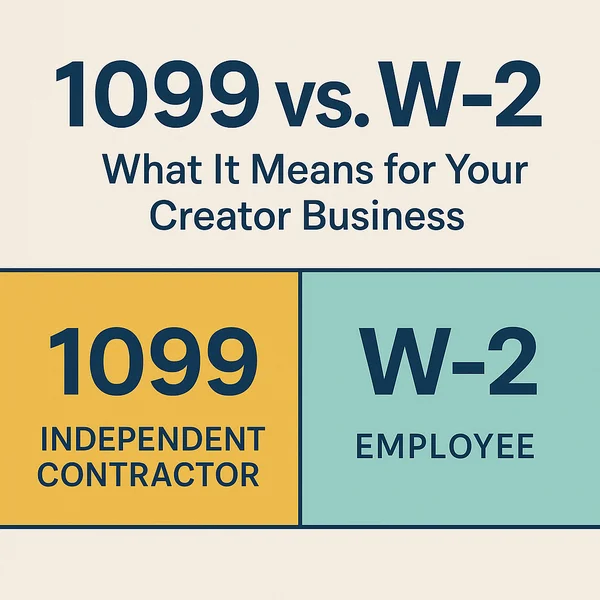
✅ 5 Key Takeaways for Creators
- 1099 vs. W-2 Impacts Your Tax Responsibilities
If you receive a 1099 (NEC or K), you’re considered self-employed and must pay your own income and self-employment taxes—no automatic withholding. W-2 income, on the other hand, is taxed at the source by your employer. - Self-Employed Creators Get More Deductions
As a 1099 contractor, you can deduct business-related expenses like equipment, home office use, and software subscriptions—helping you reduce your taxable income. W-2 employees can’t claim most of these deductions. - Misclassification Can Lead to IRS Trouble
If a brand or platform misclassifies your role (e.g., treating you as a contractor when you meet employee criteria), both parties could face audits, penalties, and back taxes. Know your rights under IRS rules. - Mixed Income Requires Smart Tracking
Many creators receive both W-2 and 1099 income in a year. You must keep clean records, track each stream separately, and may need to file a Schedule C along with your standard tax return. - Quarterly Taxes Are a Must for 1099 Earners
If you expect to owe more than $1,000 in tax from 1099 income, you’re likely required to file quarterly estimated taxes. Missing those deadlines could mean penalties, even if you pay in full later.
📅 Introduction
Are you your own boss, or are you technically someone else’s employee? If you’re a content creator earning income from multiple platforms, freelance gigs, or brand deals, that question matters more than you think. The difference between receiving a 1099 form or a W-2 goes far beyond paperwork—it affects how you’re taxed, what deductions you can claim, and even how you structure your business.
In this post, we’ll break down everything you need to know about these two tax forms, the IRS’s classification rules, and how to use this knowledge to keep more of what you earn.
🔍 Why They’re Different: W-2 vs. 1099 Comes Down to Control and Cost
At its core, the difference between W-2 employment and 1099 self-employment comes down to two factors: control and cost.
Who controls your work — and who shoulders the tax burden — determines your legal classification.
1. Control Over How You Work
The IRS uses what’s called the “Common Law Test” to assess whether a worker is truly independent.
The more control a business has over how, when, and where you perform your work, the more likely you are a W-2 employee.
- W-2 (Employee):
- The employer sets your schedule and workflow.
- Tools, software, and creative direction are typically provided.
- You operate under company policies and supervision.
- Benefits like health insurance, PTO, or retirement plans may apply.
- 1099 (Independent Contractor):
- You decide your own hours and creative approach.
- You use your own equipment, workspace, and resources.
- You deliver a finished product or service on your terms.
- You’re paid per project or deliverable, not by the hour (in most cases).
For creators, this control test matters — if a brand dictates how your content must be made, or limits your ability to work elsewhere, you may actually meet employee status under IRS rules.
2. Who Pays What (Tax Responsibility)
Taxes are where the biggest cost difference lies:
- W-2:
- Your employer automatically withholds income tax, Social Security, and Medicare.
- They also pay half of your FICA taxes (7.65%).
- You get a regular paycheck with taxes deducted and fewer year-end surprises.
- 1099:
- You’re considered both employer and employee.
- You pay the full 15.3% self-employment tax (Social Security + Medicare).
- Nothing is withheld automatically — you must make quarterly estimated payments.
- You handle all recordkeeping, deductions, and tax filings yourself.
Creators who earn 1099 income should set aside roughly 25–30% of each payment for taxes to avoid shortfalls and penalties at year-end.
3. Legal & Financial Risk for Businesses
Why does this classification matter so much? Because misclassification — treating a worker who functions as an employee as a contractor — carries steep penalties.
Employers favor 1099 contractors because it lowers their costs:
- No payroll tax contributions.
- No unemployment insurance premiums.
- No mandatory benefits or overtime pay.
But if the IRS or Department of Labor determines a creator should have been a W-2 employee, the company can face:
- Back taxes and interest on unpaid payroll taxes.
- Fines for labor law violations.
- Required retroactive benefits or compensation.
For creators, understanding the distinction isn’t just about taxes — it’s about protecting your business, preserving your rights, and avoiding legal entanglements.
💡 W-2 vs. 1099 at a Glance: Quick Comparison Table
| Category | W-2 Employee | 1099 Independent Contractor |
|---|---|---|
| Who You Work For | You’re officially employed by a company or brand. | You work for yourself and contract with clients or platforms. |
| Tax Withholding | Employer withholds income, Social Security, and Medicare taxes. | You’re responsible for paying your own income and self-employment taxes. |
| Form You Receive | W-2 (Wage and Tax Statement). | 1099-NEC (Nonemployee Compensation) or 1099-K (Platform Payments). |
| Eligible Deductions | Limited — unreimbursed job expenses generally not deductible. | Broad — home office, equipment, travel, software, and marketing are deductible. |
| Retirement Options | Access to employer plans like 401(k). | Can open Solo 401(k), SEP IRA, or traditional IRA independently. |
| Benefits | May include health insurance, paid time off, and other perks. | No benefits — you handle your own insurance, time off, and savings. |
| Legal Control | Employer controls how, when, and where you work. | You control your schedule, tools, and creative process. |
| Tax Filing Impact | Taxes are simpler; reported on Form 1040 with W-2 attached. | Requires Schedule C and Schedule SE for self-employment income. |
| Best For | Long-term, stable employment relationships. | Flexible, project-based work and diversified income streams. |
🔍 Section 1: What Are 1099 and W-2 Forms?
4.1 Understanding Each Form’s Purpose
At the most basic level, both forms report income to you and the IRS — but they tell very different stories about how you earn that income.
- Form W-2 is issued to employees. It shows your wages, taxes withheld, and benefits for the year. Employers submit a copy to the IRS, ensuring your tax obligations are tracked automatically.
- Form 1099-NEC (Nonemployee Compensation) reports income paid to freelancers and independent contractors. It’s used when you earn $600 or more from a single client or company in a year.
- Form 1099-K covers third-party payment transactions — such as money you receive from platforms like YouTube, Patreon, or OnlyFans. In 2025, the IRS threshold remains at $5,000, but it’s expected to drop in future years, expanding reporting for creators.
In short, the form you receive defines your tax identity: W-2 workers have taxes withheld and benefits managed for them, while 1099 workers shoulder both freedom and full tax responsibility.
4.2 Common Examples for Creators
Understanding which income types fall under each category helps creators avoid costly tax mistakes:
W-2 Examples
- You’re hired as a full-time or part-time social media manager by a brand.
- You work for a production company that adds you to payroll for recurring projects.
- A platform treats you as a staff member with benefits and a set schedule.
1099-NEC Examples
- You complete a sponsored campaign or brand deal and get paid directly via PayPal or ACH.
- You freelance for clients — editing videos, creating logos, or consulting on content strategy.
- You perform short-term or project-based work with multiple brands throughout the year.
1099-K Examples
- You receive payouts from OnlyFans, YouTube, Twitch, Patreon, Etsy, or Ko-fi.
- A platform processes transactions between you and your fans or subscribers.
- Your total platform payouts exceed the IRS reporting threshold.
✍️ Summary Insight
For creators, understanding these distinctions isn’t just about filling out the right form — it’s about building a smarter business strategy.
The more your income shifts toward 1099 work, the more essential it becomes to plan proactively for taxes, savings, and deductions.
⚖️ Section 2: Employee vs. Independent Contractor — The Legal Line
The line between being a self-employed creator and a company’s employee isn’t always as clear as the forms you receive at tax time.
The IRS focuses on how the relationship works in practice, not just what the contract says.
Understanding this distinction helps creators avoid misclassification — and the tax headaches that come with it.
5.1 The IRS “Control Test” Explained
The IRS applies what’s often called the “Common Law Control Test” to determine worker status.
It examines three main factors that measure how much control a payer (brand, agency, or platform) has over you:
| Factor | What It Means | Typical W-2 Indicators | Typical 1099 Indicators |
|---|---|---|---|
| Behavioral Control | Who directs how the work is done | The company provides detailed instructions, training, or editing guidelines | You decide how to complete the project, with little to no supervision |
| Financial Control | Who controls the business side | The company reimburses expenses, provides tools, and pays a regular wage | You invest in your own equipment, take business risk, and invoice per project |
| Relationship Type | How ongoing and integrated the relationship is | You have a continuous role, benefits, and exclusivity | You work for multiple clients and provide specialized services on a project basis |
👉 IRS Rule of Thumb:
If the company controls what you do and how you do it, you’re probably an employee (W-2).
If you control both the means and methods of your work, you’re an independent contractor (1099).
🔎 Why It Matters for Creators
Platforms, agencies, and brands often use hybrid arrangements — paying per campaign while still dictating deliverables or creative methods.
If that control crosses the line, the IRS may determine you were functioning as an employee, not a contractor, which can trigger:
- Back taxes or penalties for the hiring company.
- Adjusted filings and possible refunds or reclassifications for you.
5.2 Common Misclassification Scenarios in the Creator Economy
In the digital creator world, misclassification is increasingly common because the work blends creativity, brand representation, and contractual terms.
Here are examples that highlight gray areas — and how to navigate them safely.
Scenario 1: The “Exclusive Brand Ambassador”
A company requires you to post a certain number of branded videos each week, attend scheduled meetings, and prohibits you from working with competitors.
- ✅ Likely W-2: The brand exercises control, sets hours, and integrates you into its operations.
Scenario 2: The “Freelance Campaign Creator”
You design a campaign concept, film content on your own schedule, and deliver final files for approval.
- ✅ Likely 1099: You control creative direction and production; payment is project-based.
Scenario 3: The “Long-Term Platform Partnership”
You’ve worked with one platform for several years under rolling contracts, following strict creative guidelines.
- ⚠️ Gray Area: If your role resembles an ongoing job, the IRS could argue you’re effectively an employee.
Scenario 4: The “Hybrid Income Creator”
You receive a W-2 from a media company for part-time editing work and several 1099s for freelance brand deals.
- ✅ Mixed Classification: Both can coexist legally — just keep records and separate income streams carefully.
💬 Takeaway
The IRS doesn’t just look at paperwork — it evaluates behavior, financial control, and relationship dynamics.
For creators, staying compliant means:
- Keeping written contracts that clarify independence,
- Maintaining separate business accounts and tools,
- Tracking multiple income types, and
- Consulting a tax professional if your arrangement starts looking more like employment.
When in doubt, err on the side of documentation — it’s your best defense if questions ever arise.
💰 Section 3: Tax Implications and Filing Differences
Once you understand how you’re classified, the next question is what that means for your taxes, deductions, and filing process.
Whether you’re receiving income from brand partnerships, YouTube AdSense, or part-time employment, your classification determines who pays taxes, when they’re paid, and how much you owe.
6.1 Withholding vs. Self-Employment Tax
The key distinction between W-2 and 1099 income lies in who handles the tax responsibilities.
W-2: Taxes Are Withheld Automatically
If you’re classified as an employee:
- Your employer withholds federal and state income taxes directly from your paycheck.
- They also cover half of your FICA taxes (Social Security and Medicare).
- You’ll receive a W-2 form in January that summarizes your total wages and taxes already paid.
This system makes filing straightforward — you simply plug your W-2 into your return, and most of the heavy lifting is already done.
✅ Pros for Creators: Predictable withholdings, less bookkeeping, and easier year-end filing.
❌ Cons: Fewer deductions and less flexibility for business expenses.
1099: You Handle It All Yourself
If you’re self-employed or paid as an independent contractor:
- No taxes are withheld. You’re responsible for both halves of Social Security and Medicare, called the Self-Employment Tax (15.3%).
- You pay through quarterly estimated taxes (Form 1040-ES) to avoid underpayment penalties.
- Your income is reported on Schedule C (Profit or Loss from Business) and Schedule SE (Self-Employment Tax).
A good rule of thumb is to set aside 25–30% of each 1099 payment for taxes.
You can also deduct legitimate business expenses — equipment, internet, subscriptions, travel, and more — to reduce taxable income.
✅ Pros for Creators: Greater control over income and deductible expenses.
❌ Cons: Requires careful tracking, higher upfront tax burden, and more paperwork.
6.2 Mixed Income Strategies for Multi-Platform Creators
Many creators earn income from multiple sources — a combination of W-2 wages, 1099 contracts, affiliate payments, or platform revenue.
Each type comes with unique tax responsibilities, but with the right strategy, you can manage both efficiently.
1. Separate and Track Each Income Stream
- Use dedicated folders or apps (like QuickBooks Self-Employed, Wave, or Notion tables) to categorize W-2 vs. 1099 income.
- Keep business receipts and invoices for all 1099 work.
- Record any platform payouts (e.g., YouTube, Patreon, OnlyFans) as gross income — even if no form is issued.
2. Plan for Quarterly Taxes Early
Even if you have W-2 withholding, your 1099 income might trigger additional tax liability.
Use your prior year’s tax return or a tool like IRS Form 1040-ES to estimate quarterly payments.
3. Optimize Deductions Across Both Income Types
If you use the same tools or equipment for both jobs (camera, laptop, internet), you can allocate a portion of those expenses to your 1099 business activities.
Keep documentation showing how and why they’re used for work.
4. Maximize Retirement and Health Accounts
- Contribute to a Solo 401(k) or SEP IRA using 1099 income — these reduce taxable income while building long-term savings.
- Deduct health insurance premiums if you’re self-employed and not eligible for employer coverage.
5. Consider Forming an LLC or S-Corp
Once 1099 income grows substantially, formalizing your creator business can provide legal protection and potential tax advantages (e.g., reasonable salary + S-Corp distributions to reduce self-employment tax).
💬 Creator Insight
Mixed income is a sign of growth — it means your creator business is diversifying.
But it also requires proactive planning.
When in doubt, work with a CFP® or tax professional who understands self-employment and creator finances.
A few hours of expert guidance can save you thousands in unexpected taxes and penalties.
💾 Section 4: Deductions and Write-Offs You Can Claim
Self-employed creators have one major tax advantage: deductions.
Unlike W-2 employees, 1099 earners can subtract legitimate business expenses directly from income — often reducing taxable income by thousands.
The key is understanding what’s deductible, keeping accurate records, and separating personal spending from business activity.
7.1 Top 10 Write-Offs for Self-Employed Creators
| Category | Description | Pro Tip for Creators |
|---|---|---|
| 1. Home Office | Deduct a portion of your rent, mortgage, and utilities if your workspace is used exclusively for business. | Measure your space — the IRS allows both simplified and actual expense methods. |
| 2. Equipment & Gear | Cameras, lighting, tripods, microphones, laptops, tablets, and editing tools. | Keep receipts and note which projects each purchase supports. |
| 3. Internet & Phone | Deduct the business-use percentage of your data plan and internet bill. | Use 60–80% if your connection supports content uploads and client communication. |
| 4. Software Subscriptions | Editing suites, scheduling tools, Canva, Adobe, Notion, or AI writing assistants. | Annual billing often saves money — track renewal dates. |
| 5. Marketing & Branding | Website hosting, domain fees, ads, SEO tools, or logo design. | These are direct business expenses that build your brand. |
| 6. Travel & Mileage | Business trips, client meetings, or content shoots. | Use IRS standard mileage rate (67¢ per mile in 2025). Log dates, destinations, and purposes. |
| 7. Education & Training | Online courses, coaching, books, or workshops that enhance your business skills. | Keep certificates or course confirmations for audit proof. |
| 8. Professional Services | Accountant, tax preparer, legal consultations, or business coaching. | Fees for tax prep are fully deductible if related to your creator business. |
| 9. Supplies & Props | Office supplies, packaging materials, or set design elements for shoots. | Deduct even small purchases — they add up quickly. |
| 10. Health Insurance Premiums | Self-employed individuals can deduct 100% of health premiums if not covered elsewhere. | Applies to medical, dental, and long-term care policies. |
✅ Bonus Deduction Tip:
Use Section 179 or 100% bonus depreciation for large equipment purchases to accelerate write-offs in the same tax year.
7.2 Recordkeeping Best Practices
Accurate records are your best defense if the IRS ever questions your deductions.
Best Practices for Creators:
- Separate finances: Maintain dedicated checking and savings accounts for business transactions.
- Digitize everything: Scan receipts and store them in cloud folders labeled by category or month.
- Use software tools: QuickBooks Self-Employed, Wave, or FreshBooks can automatically categorize expenses.
- Track mileage: Apps like MileIQ or Everlance handle this automatically.
- Review quarterly: Regularly reconcile your books to ensure accuracy before tax deadlines.
Keep all supporting documentation for at least three years after filing — longer if you claim large asset deductions or depreciations.
🗓️ Section 5: Quarterly and Annual Tax Season Prep
Creators who receive 1099 income must think like a business owner — not just a taxpayer.
That means paying taxes as you earn, not just once a year.
8.1 How to File Estimated Taxes
If you expect to owe more than $1,000 in self-employment taxes, the IRS requires quarterly estimated payments.
Step-by-Step Guide:
- Estimate your income: Use your year-to-date totals to project annual earnings.
- Calculate your taxes: Apply roughly 25–30% of your projected net income for federal taxes.
- File quarterly payments:
- Due April 15, June 15, September 15, and January 15 of the following year.
- Use IRS Form 1040-ES or pay online at IRS.gov/payments.
- Track state obligations: Most states have separate quarterly requirements.
- Recalculate midyear: If your income grows, adjust your payments to avoid underpayment penalties.
Example:
If you earn $60,000 in 1099 income and expect a 25% effective tax rate, pay $15,000 total over four quarters — roughly $3,750 per quarter.
8.2 Tools & Software Recommendations
Managing taxes doesn’t need to be stressful. These tools can automate tracking, calculations, and filing:
| Category | Recommended Tools | Use Case |
|---|---|---|
| Bookkeeping & Expense Tracking | QuickBooks Self-Employed, Wave, FreshBooks | Track income and categorize expenses automatically. |
| Tax Filing | TurboTax Self-Employed, TaxAct Freelancer, FreeTaxUSA | Handles Schedule C, SE, and 1099 reporting. |
| Quarterly Payments | IRS Direct Pay, EFTPS, or tax app integrations | Schedule automatic quarterly tax payments. |
| Mileage Tracking | Everlance, MileIQ, Hurdlr | Auto-logs miles driven for business. |
| Document Storage | Google Drive, Dropbox, Notion, Expensify | Keep receipts, contracts, and invoices organized. |
✅ Pro Tip: Set monthly reminders to download income reports from platforms like YouTube, Patreon, or OnlyFans — they’re easy to lose track of but essential for year-end accuracy.
❓ Section 6: When to Reevaluate Your Classification
Your tax status isn’t permanent — it can change as your business grows.
Reassessing your classification ensures you’re paying (and saving) correctly, especially as brand partnerships or long-term contracts evolve.
9.1 Red Flags That You Might Be Misclassified
You might be treated as a 1099 contractor on paper but function like an employee in practice.
Here are warning signs to watch for:
| Red Flag | What It Suggests |
|---|---|
| The company dictates your schedule and workflow. | Indicates behavioral control → employee relationship. |
| You use company tools, software, or accounts to perform your work. | Suggests dependence and lack of autonomy. |
| You work exclusively for one company for an extended period. | May qualify as an employee under IRS “relationship” tests. |
| You receive hourly or salary-style payments instead of project-based pay. | Resembles employee compensation structure. |
| You must request time off or approval for outside work. | Strong indicator of employee status. |
If you see multiple red flags, it’s time to revisit your contract or consult a tax professional.
9.2 How to Correct Misclassification Safely
If you believe you’ve been misclassified — or if a brand approaches you with unclear terms — take these steps:
- Communicate first: Ask the payer to clarify your classification and provide documentation.
- Review the IRS guidelines: Refer to Publication 15-A and the “Common Law Test” factors.
- File Form SS-8 (Determination of Worker Status): The IRS can officially decide whether you’re an employee or contractor.
- Keep detailed records: Contracts, correspondence, and payment history protect you if questions arise.
- If you’re an employer or brand: Correct classification proactively to avoid back taxes and penalties.
✅ Pro Tip: If you receive both W-2 and 1099 income from the same company, that’s a major audit flag. Keep separate records and ensure the arrangement is clearly justified (e.g., employment + freelance side work).
💬 Final Insight
Misclassification doesn’t just risk IRS penalties — it can impact your Social Security contributions, healthcare eligibility, and future loan applications.
Treat your classification seriously and revisit it as your creator business evolves.
✅ Section 7: Creator Tax Readiness Checklist (Updated for 2025)
A well-organized system can make tax season far less stressful.
Use this 2025 Creator Tax Readiness Checklist to stay compliant, maximize deductions, and avoid last-minute chaos.
📦 1. Before Tax Season Starts
| Task | Why It Matters |
|---|---|
| Open a separate business bank account | Keeps personal and business funds distinct—essential for deductions and audits. |
| Track income monthly | Prevents surprises and helps estimate quarterly payments. |
| Keep digital copies of receipts & invoices | Paper fades—digital records stay audit-ready. |
| Record platform earnings (YouTube, Patreon, OnlyFans etc.) | Some may not issue 1099s under threshold rules; you’re still required to report. |
| Reconcile accounts quarterly | Catches missing or duplicated transactions early. |
📑 2. During the Year
| Task | Frequency | Tip |
|---|---|---|
| Pay quarterly estimated taxes | Apr 15, Jun 15, Sep 15, Jan 15 (2026) | Automate with IRS Direct Pay or EFTPS. |
| Update mileage log | Monthly | Note purpose, date, and miles for each trip. |
| Track mixed income sources | Ongoing | Use color-coded spreadsheets or QuickBooks tags. |
| Review new purchases for deductibility | Quarterly | Tag equipment, education, or marketing spend immediately. |
| Back up financial files | Quarterly | Store in secure cloud and local drive. |
🧾 3. When Preparing Your Return
| Task | Checklist Item |
|---|---|
| Gather W-2 and 1099 forms (NEC + K) | Include all platform and client income. |
| Export Schedule C reports from software | Confirms deductible totals. |
| Reconcile business account balances | Prevents mismatches on Form 1040. |
| Review health-insurance premiums for deduction | Self-employed creators often forget this. |
| Confirm retirement contributions (Solo 401(k), SEP IRA) | Lowers taxable income. |
| Double-check for missing payments or refunds | Platforms sometimes issue amended forms. |
| File or e-file by April 15 (2026) and pay balances | Avoid 5% per-month late filing penalty. |
💡 Pro Tip
Use this checklist not only for taxes but for quarterly reviews—doing so keeps your creator business audit-ready year-round.
🧮 Example Scenario — Mixed Income Creator (W-2 + 1099)
Meet Alex, a lifestyle content creator who balances brand employment and freelance gigs.
Profile
- Primary Job: Part-time video editor for a media company (W-2)
- Side Business: YouTube channel + sponsored posts (1099)
- Annual Earnings: $65,000 ($35k W-2 + $30k 1099)
How Alex’s Taxes Work
| Income Type | How It’s Reported | Who Pays Taxes | Key Action Steps |
|---|---|---|---|
| W-2 ($35,000) | Employer issues W-2; taxes withheld | Employer handles withholding + half FICA | Verify withholding is correct via Form W-4. |
| 1099 ($30,000) | Clients/platforms issue 1099-NEC or K | Alex pays all income & self-employment taxes | File Schedule C + Schedule SE and make quarterly payments. |
Tax Impact
- Alex’s employer-withheld taxes cover the W-2 portion only.
- The $30,000 in 1099 income adds roughly $4,590 in self-employment tax (15.3%) plus income tax on profits.
- By tracking deductions — gear, internet, training ($6,000 total) — Alex reduces taxable self-employment income to $24,000.
Smart Moves Alex Made
- Quarterly Payments: $1,500 each quarter to avoid penalties.
- Separate Accounts: One for freelance income and expenses.
- Retirement Savings: Opened a Solo 401(k) and contributed $6,000.
- Health Insurance Deduction: Claimed full premium deduction ($3,600).
- Tax Software: Used QuickBooks Self-Employed to auto-generate Schedule C data.
Result
Alex saves over $2,200 in taxes through deductions and retirement contributions—proving that with planning, mixed income can be profitable and manageable.
💬 Takeaway
If you earn from both employment and creator contracts, treat your 1099 side as a business.
Track it separately, plan for taxes quarterly, and reinvest strategically.
The goal is to build wealth like a professional—no matter how many income streams you juggle.
💬 Final Thoughts — Protect Your Business and Your Wallet
The line between being a creator and being a business owner is thinner than most realize.
Every sponsorship, affiliate link, or platform payout adds up to real, taxable income — and with that comes responsibility.
By understanding the difference between W-2 employment and 1099 self-employment, you protect not just your wallet, but the foundation of your creative career.
You gain:
- Financial control — no more surprises at tax time.
- Legal protection — clarity on classification avoids IRS trouble.
- Strategic freedom — the ability to structure your business for growth.
Creators who treat their work like a real business thrive longer, weather uncertainty better, and keep more of what they earn.
Every step — from tracking income to paying quarterly taxes — strengthens your financial independence and professional credibility.
Remember: knowledge isn’t just power; it’s profit.
📢 Call to Action & Related Creator Tax Guides
If this post helped you clarify your tax responsibilities, take the next step — explore more in-depth guides designed to help creators save more, plan smarter, and stay compliant in 2025 and beyond.
Related Reads from Jason’s Fin Tips
- 🧾 OnlyFans Tax Hacks: Keep More Money & Pay Less in 2025
- 💼 How to Track Monthly Expenses Easily
- 📊 Beginner’s Guide to Investing as a Content Creator
Take Action
- 📅 Bookmark this guide to revisit each tax quarter.
- 💬 Share it with fellow creators who need to understand 1099 vs. W-2 income.
- 🧠 Subscribe to Jason’s Fin Tips social media for weekly financial strategies built for creators, freelancers, and entrepreneurs.
Final Word
The difference between financial chaos and confidence often comes down to one habit: treat your creator income like a business from day one.
By staying informed, organized, and proactive, you’re not just filing taxes — you’re building wealth.
Back to Taxes and Legal Compliance